
After an IDgo account is created, an end user is able to delete their IDgo account as follows:
- the end user must recieve an authentication request SMS and access their IDgo account by clicking on the link in the SMS.
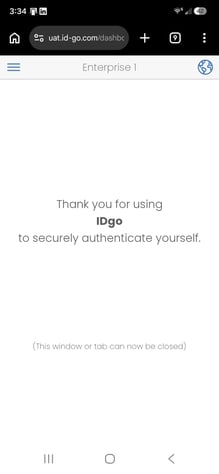
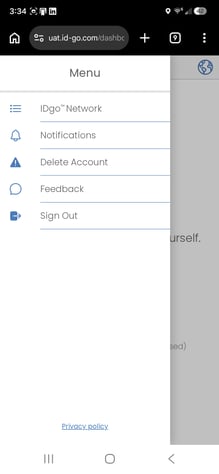
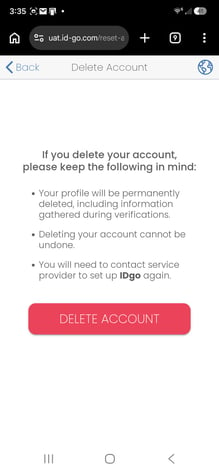
- After completing the authentication process, the end user will be at a screen as illustrated below where they can click on the upper left "pancake menu" to access the "Delete Acount" feature.
Please note...
Deleting an IDgo account cannot be undone, this deletes the end user's profile permanently, including information gathered during verifications. If an end user would like to use IDgo again, they will need to contact their service provider and enroll in the IDgo service again.
Having an end user delete an IDgo account is different than revoking an IDgo account. Revoking an IDgo account can only be done by a service provider agent, while deleting an account can only be done by an end user. Revoking an IDgo account preserves the end user's profile and associated information and a service provider agent can re-ernoll a revoked account for the same end user.